7999bat App: Cricket, Slots and Crash in Your Pocket
Install the 7999bat app once and the whole lobby opens without a browser: 5,600 games, live cricket markets and a cashier that moves money through bKash or Nagad. The APK is 28 MB, free to install, and runs on Android 6.0 and newer.
Sending the file to your phone instead? The download section further down has a QR code that opens the same 7999bat.apk link on the handset.
Should You Install the 7999bat App or Keep the Browser?
Both versions read the same account, the same wallet and the same game list. The difference is how much work your phone does to get you there. Here is the comparison without the sales talk.
| What changes | 7999bat app | Mobile browser |
|---|---|---|
| Opening the lobby | One tap. The app keeps you signed in until you log out. | A fresh page load each time, and the tabs stay open behind it. |
| Data used per visit | Artwork is cached on the phone, so repeat visits download less. | Scripts and images reload on every visit. |
| Live cricket odds | Prices refresh in place while the match runs. | Every refresh pulls the whole page again. |
| Deposit and withdrawal alerts | A notification when money lands in the wallet. | You open the cashier to check the status. |
| Screen space in games | Full screen for fishing and crash rounds. | The address bar and tab strip take the top of the screen. |
| Storage on the phone | 28 MB install, plus cached game art you can clear. | Nothing to install. |
| Updating | Download a new APK from this page when one is released. | Updates itself the next time you reload. |
| Using a shared phone | Log out and the next person cannot reopen your session. | Saved passwords in the browser can keep you signed in. |
If you place the odd bet on someone else's phone, stay in the browser. If you play most days and want the wallet two taps away, the install earns its space. Sign-in steps are the same in both, and the 7999bat login page covers password resets.
What Opens When You Tap the Icon
No loading screen with ad banners, no redirect. The app starts on the lobby with your balance already on screen.
- The full library, not a cut-down oneAll 5,600 titles from Playtech, JILI, CQ9, Habanero, FA Chai, KA Gaming and Ezugi.
- Cashier on the first screenbKash, Nagad, Rocket, Upay and bank transfer, with your last method saved.
- Cricket tab built for match daysSession and match prices side by side, refreshed without a page reload.
- Support without leaving the appLive chat is open 24/7, and the agent can see your last deposit reference.
Install the APK in Five Steps
Check the current file firstBudget about three minutes on a 4G connection. Do the first attempt on Wi-Fi and with the battery above 20%, because a phone that dies mid-download leaves a broken file behind.
-
1
Allow installs from your browser
Open Settings, then Security, then Install unknown apps. Pick the browser you download with, usually Chrome, and switch Allow from this source on. On Android 6.0 and 7 the same switch hides under Settings > Lock screen and security.
-
2
Download the 7999bat APK
Tap Download APK on this page while the phone is on Wi-Fi. The 28 MB file lands in your Downloads folder under the name 7999bat.apk. Keep the screen on until the progress bar finishes, otherwise the file arrives incomplete.
-
3
Open the file and confirm
Pull down the notification shade and tap the finished download, or open Files > Downloads. Android shows the installer, then a short summary of what the app can access. Tap Install and give it about twenty seconds.
-
4
Clear the Play Protect warning
Play Protect sometimes pauses the install with a message about an unknown developer. Tap More details, then Install anyway. This happens with every app that does not come through the Play Store, so it is not a signal that the file is bad.
-
5
Log in and load the wallet
Open the 7999bat app and sign in with your existing details, or create an account straight from the app. Add money through bKash or Nagad in the wallet tab; a deposit of ৳250 or more shows up within about 2 minutes.
On iPhone and iPad: add the site to the home screen
iOS will not open an APK file, so there is no file to install here. Safari can pin the mobile lobby as an icon that behaves like an app.
- Open Safari, not Chrome or an in-app browser, and go to 7999bat.cam.
- Tap the Share button in the toolbar at the bottom of the screen.
- Scroll the share sheet and choose Add to Home Screen.
- Name the icon, tap Add, and it opens full screen from the home screen.
Version, Size and Android Requirements
Every build we publish is signed and dated. The table below matches the file that the button serves right now, so you can compare it with what is already on your phone before an update.
| Field | What it says |
|---|---|
| Version | 2.1.1 |
| File name | 7999bat.apk |
| File size | 28 MB |
| Minimum Android | 6.0 Marshmallow |
| Last updated | 13 November 2026 |
| Cost | Free, no subscription |
| Languages | English, Bangla |
| Where to get it | This page only |
| Support | 24/7 live chat inside the app |
If the file you downloaded is 3 MB, or the name has extra words in it, stop and delete it. Our builds are never that small and never come attached to a message from an unknown number.
What the App Asks For and Why
Android lists every permission before the install finishes. Four requests come up in version 2.1.1, and each one has a plain reason behind it.
- Storage, for the file and the cache Used to keep the APK you just downloaded and to cache game artwork. Without that cache, every fishing round would pull its symbols again over a 3G line. You can clear the cache from Android settings at any time and nothing in your account changes.
- Network access, for everything live The app talks to the game servers, the cricket feed and your wallet. Nothing runs offline beyond the cached lobby, so this one stays on while you play. Turn on data saver inside the app if your plan runs out before the month does.
- Notifications, for money movements Deposit confirmations, approved withdrawals and bonus timers arrive as push messages. Switch them off in phone settings and the app still works, you simply open the cashier to see the status yourself.
- No SMS, contacts or camera access The app does not read your messages or your contacts, and it never asks for the one-time password that bKash or Nagad sends you. A build that requests SMS access is not ours. Delete it and download again from this page.
Anyone who asks for your bKash PIN or the six-digit OTP is not from us, whatever the profile picture says. Our agents answer inside live chat and never ask for either.
What You Can Play inside the 7999bat App
See the full casino lobbyThe app loads the same library as the desktop site. Fishing and crash titles get thumb-sized controls, and slots keep their full paytable on a portrait screen.

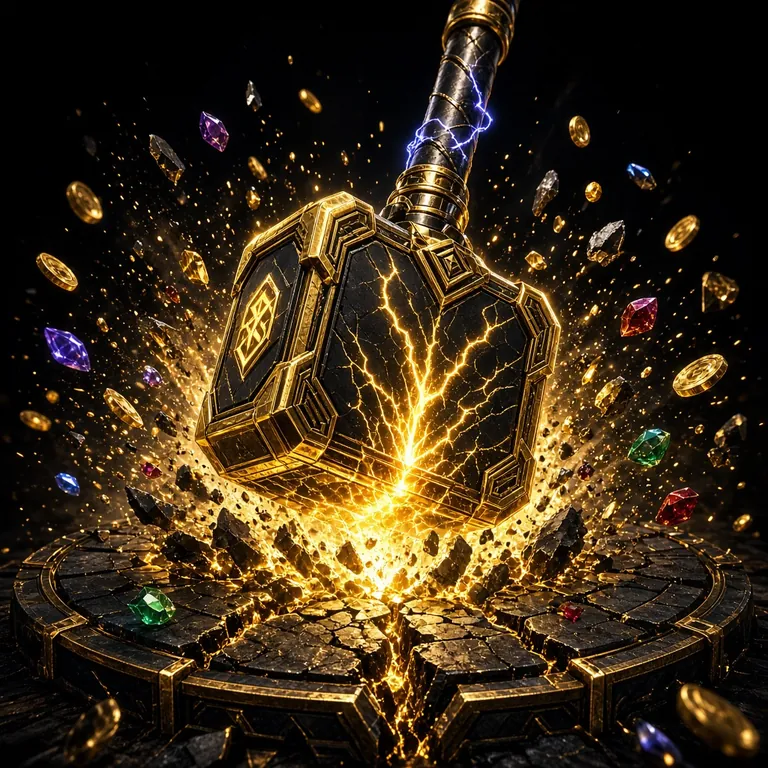 RTP 97.0%
Big Hammer
Bets from ৳2, quick spins, and a bonus round that stacks hammers across the reels.
 RTP 96.4%
Monkey King Fishing
Aim with a thumb, fire at bigger fish for larger multipliers. Stakes start at ৳5.
- Slots from seven studios
- Live dealer tables
- Crash rounds like Aviator
- Cricket and football markets
- Fishing arcade
- Lottery and bingo
Every card above opens the same game inside the app once you are signed in. New accounts can pick up the first deposit bonus before their first spin, and the bonus and VIP page explains how the wagering counter works.
Six Things That Keep the App on the Home Screen
A cashier built around bKash and Nagad
Deposits start at ৳250 and clear in about 2 minutes. Withdrawals leave in roughly 27 minutes and return to the wallet you paid with, up to ৳75,000 a day.
Cricket prices that move on their own
Session and match odds update in place while the ball is being bowled, so you can take a price without reloading the page and losing your place in the queue.
Touch controls for fishing and crash
Fire and cash-out buttons sit where a thumb naturally rests, clear of the notch. One-handed play works on a 5-inch screen, which is what most of our players carry.
Data saver for patchy networks
One switch drops animations and lowers artwork resolution. The lobby still opens on a weak 3G signal in a district town, and your monthly data lasts noticeably longer.
Bonus progress you can actually read
The wallet tab shows how much of the 12x wagering is left on a welcome bonus and when it expires. No guesswork about whether a withdrawal will be blocked by unfinished terms.
Live chat without opening a browser
Support answers inside the app 24/7 and can pull up your last deposit reference. Ask about a stuck withdrawal, a failed install, or how to claim the 1.1% daily cashback.
When the APK Refuses to Install
Five messages cover almost every failed install we see on chat. Find yours in the left column and work across.
| What you see | Why it happens | What to do |
|---|---|---|
| App not installed | An older copy is still on the phone, or free storage has dropped under 100 MB. | Long-press the old icon and uninstall it, clear a few videos, then run 7999bat.apk again. Your balance and bonus progress stay on the server, so nothing is lost. |
| There was a problem parsing the package | The download stopped early, so the file is smaller than 28 MB. | Delete the broken file from Downloads, move to Wi-Fi, and download once more. Check the size in Files before you tap it; a complete build reads 28 MB. |
| The Install button stays grey | Unknown apps is still blocked for the browser you used. | Go to Settings > Apps > Chrome > Install unknown apps and allow from this source. Samsung and Xiaomi phones sometimes keep a second copy of that switch. |
| Play Protect says the app is unsafe | Any APK from outside the Play Store triggers that warning. | Tap More details, then Install anyway. The scanner is flagging the source rather than finding a virus, but you can run a Play Protect scan afterwards for peace of mind. |
| It opens, then closes on the splash screen | The current build needs Android 6.0 or newer. | Check Settings > About phone > Android version. On 5.x, use the mobile site in your browser instead; the cashier, games and bonuses all behave the same way there. |
Still stuck after all five? Open live chat from the website, tell the agent your phone model and the exact message, and they will send the matching steps.
Answers to the Questions Players Send Us
01Is the 7999bat APK safe to install?
It is safe when the file comes from this page. Our builds are signed, dated and 28 MB in size, and version 2.1.1 is the current one. We never send download links by SMS and never ask for your bKash or Nagad one-time password. If a file is far smaller than 28 MB, it is not ours.
02Do I lose my balance if I uninstall the app?
No. Your balance, bonus progress and betting history live on our servers against your account, not on the handset. Uninstall, reinstall and log back in and the same numbers are waiting, including whatever wagering is still open on a welcome bonus.
03How do I update to a newer version?
Download the new APK from this page and install it straight over the old copy. Android keeps your login, so you land on the lobby without typing anything. If the installer refuses, uninstall the old build first. The version number on this page changes with each release.
04Why does the app need storage permission?
Storage holds the downloaded file and the artwork cache that makes repeat visits lighter on data. It does not read your photos or documents. You can clear the cache from Android settings whenever you like, and the app will simply fetch fresh artwork on the next game you open.
05Can I use the 7999bat app on an iPhone?
There is no iOS file to install. In Safari, tap Share and then Add to Home Screen, and the mobile lobby opens full screen from an icon like any other app. Deposits through bKash, the cricket tab and the cashier all work the same way inside that icon.
06Will it run on a weak 3G connection?
Yes, with data saver switched on. Slots load quickly because the artwork is cached. Live dealer tables and high-definition fishing rounds want a steadier line and may stutter during busy evening hours. Cricket odds refresh fine, since only the price changes rather than the page.
07Do I have to log in again after an update?
Usually not. Installing over the existing copy keeps your session alive, so the app opens on the lobby. After a full uninstall you sign in once more. If the password escapes you, the reset flow on the login page sends a code to the number on your account.
Keep the Lobby One Tap Away
One 28 MB file, five minutes of setup, and the cricket tab, slots and cashier all live on your home screen. Install the 7999bat app and top up from ৳250 whenever you want to play.